

 Step 3: After clicking on “Billing”, you will find the “Services Alignment Tool”. Click on it to proceed. It’s important to note that you must pay off any outstanding invoices on the services you wish to align before proceeding.
 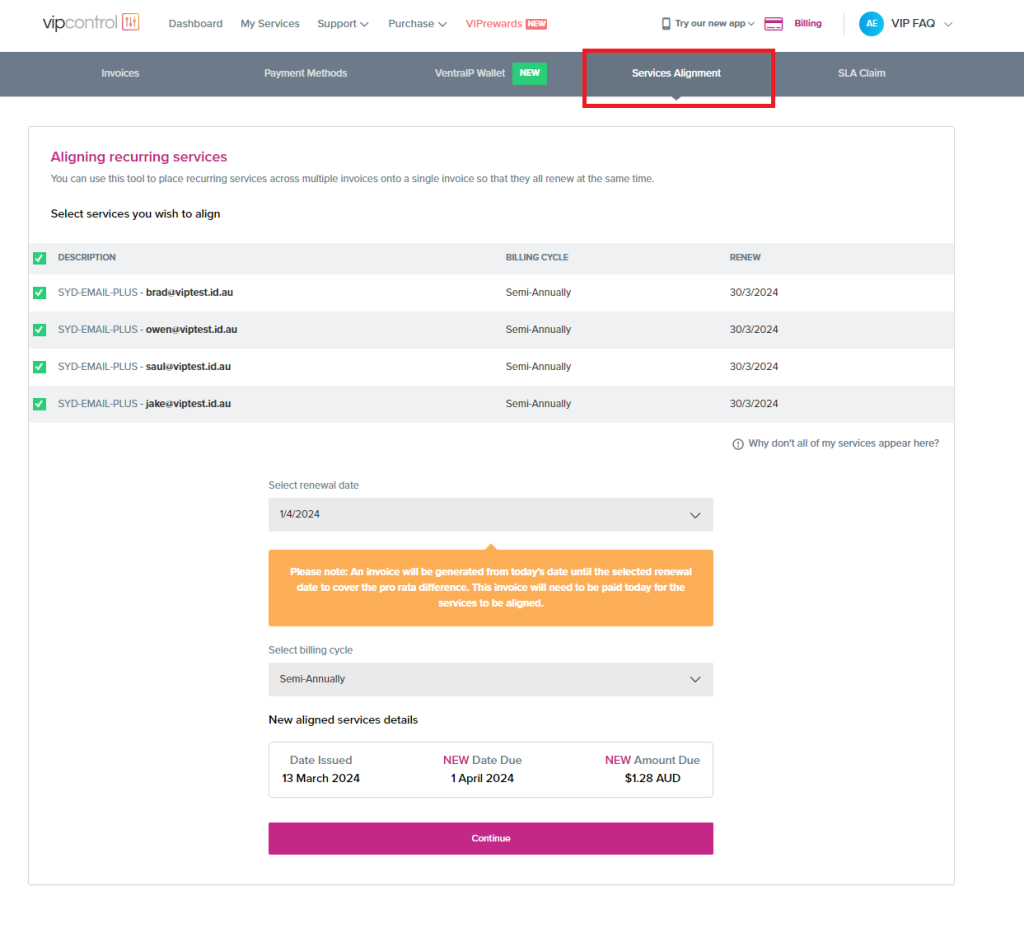 Step 4: In the Services Alignment Tool, you will be able to select the services you wish to align. This feature saves you the hassle of managing multiple invoices for different services.
Step 5: Select the services you want to align, choose a renewal date, and a billing cycle.
Step 6: Once you’ve selected your services and filled in the necessary details, click on the “continue” button to complete the process.
Step 4: In the Services Alignment Tool, you will be able to select the services you wish to align. This feature saves you the hassle of managing multiple invoices for different services.
Step 5: Select the services you want to align, choose a renewal date, and a billing cycle.
Step 6: Once you’ve selected your services and filled in the necessary details, click on the “continue” button to complete the process. 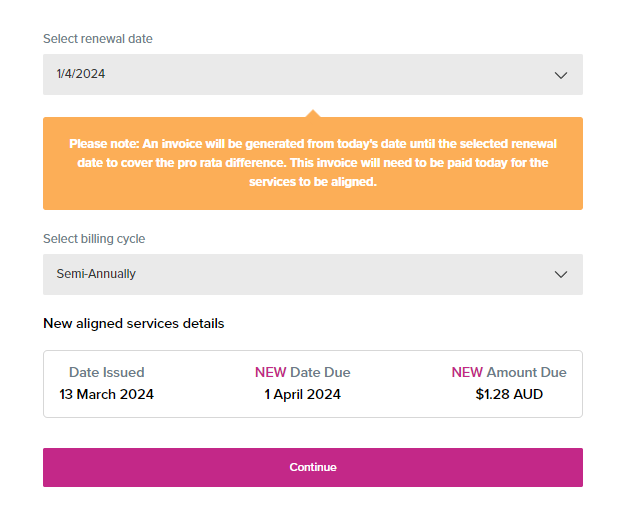 We hope that the above steps will help you align your services and streamline your billing process. If you run into any issues or still aren’t quite sure, please feel free to submit an eTicket to our Billing Department.