

 One of the huge advantages of the MultiPHP Manager is that you can set up different PHP versions for different domains. For example, if you have the main domain of “domaina.com.au” and an addon domain of “domainb.com.au,” you could have PHP 5.6 on “domaina.com.au” and PHP 7.2 on “domainb.com.au.” When you enter the MultiPHP Manager, you will see a list of domains with a checkbox to the left and a drop-down menu at the top right with different PHP versions. This is where you will modify the version for the site you select below.
 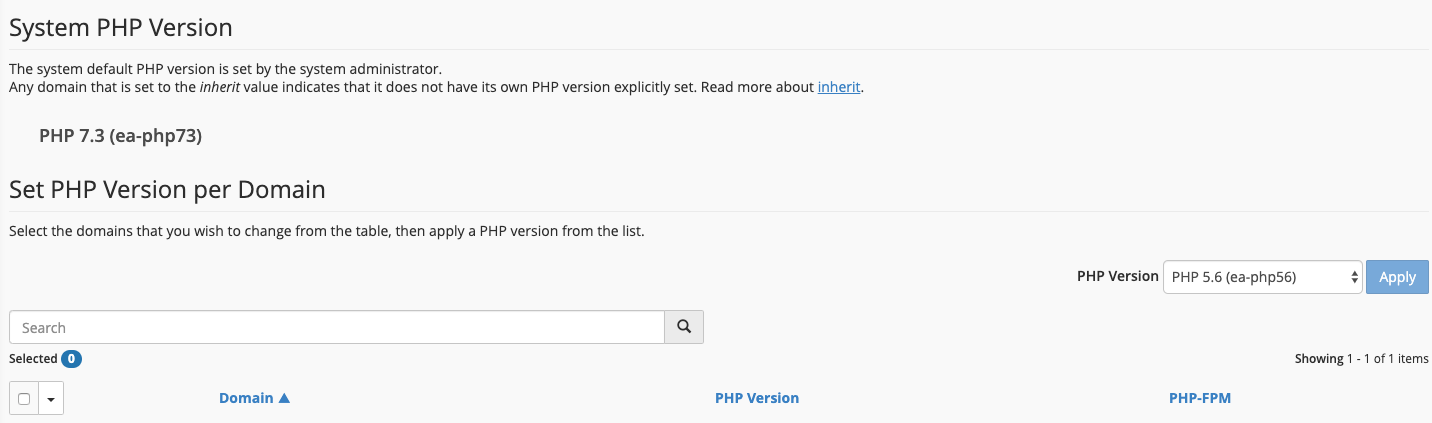 As you can see, you also have the ability to enable PHP-FPM. PHP FastCGI Process Manager (PHP –FPM) is an alternative FastCGI daemon for PHP that allows a website to handle strenuous loads. PHP –FPM maintains pools (workers that can respond to PHP requests) to accomplish this. PHP –FPM is faster than traditional CGI-based methods, such as SUPHP, for multi-user PHP environments. Once you choose the required version and the domain, you can hit the Apply button.
MultiPHP INI Editor
The MultiPHP INI Editor allows you to change PHP values for a specific site. When you enter it, you will see a screen like below. This will allow you to choose a location, e.g., the Home directory at “/home/username” or the home directory for any specific domain on your account. Once you select the location you wish to edit, you will be taken to the basic editor to modify various PHP values.
 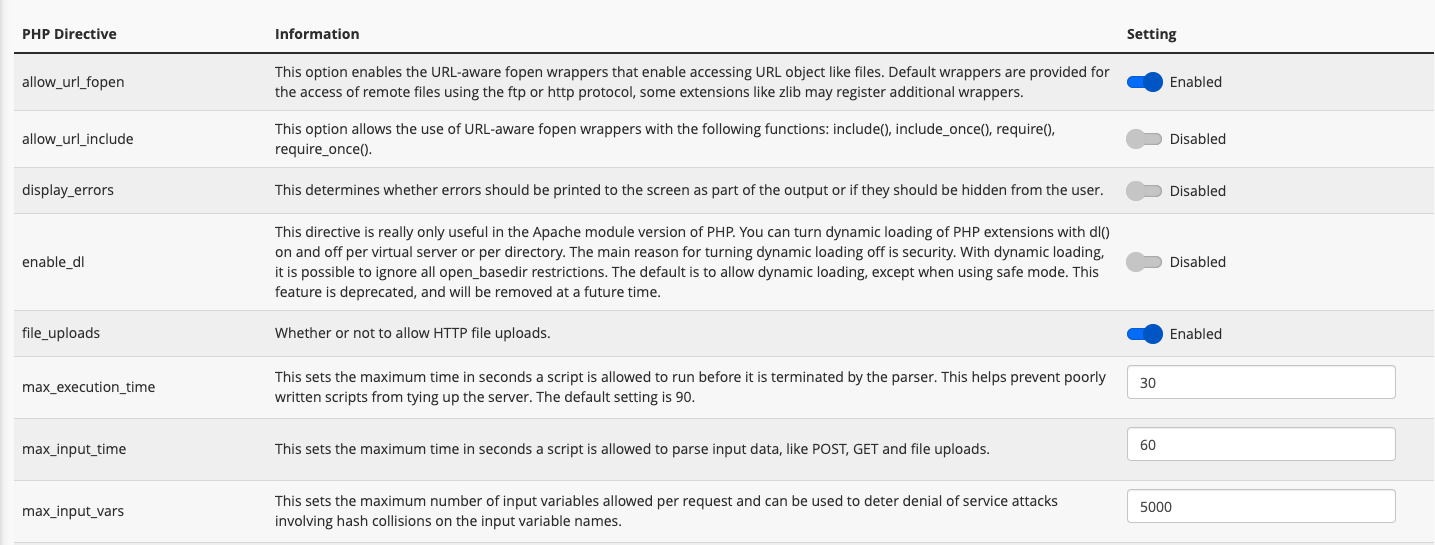 Alternatively, you can click the Editor Mode, choose the location, and manually write PHP values there.