

Windows (XP, Vista, 7, 8, 10)
1. Press Windows + R to open the Run box. When this pops up, type cmd (without quotes), then press enter. 2. In the command window type tracert yourdomain.com and press enter. Substitute yourdomain.com in for your website’s address.
 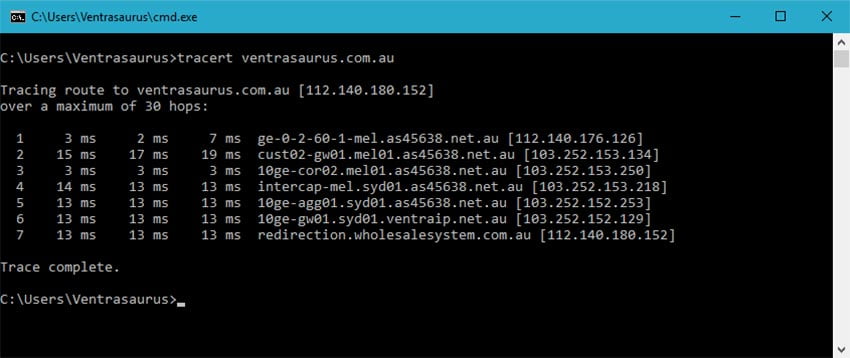 3. To copy the results right click the command window, click Edit, then click Mark.
 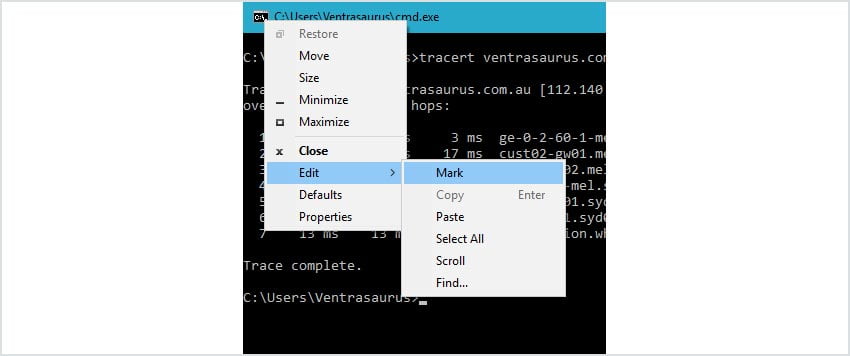 4. Highlight the text and right click again. You can then paste the results where you need them (such as in an eTicket reply).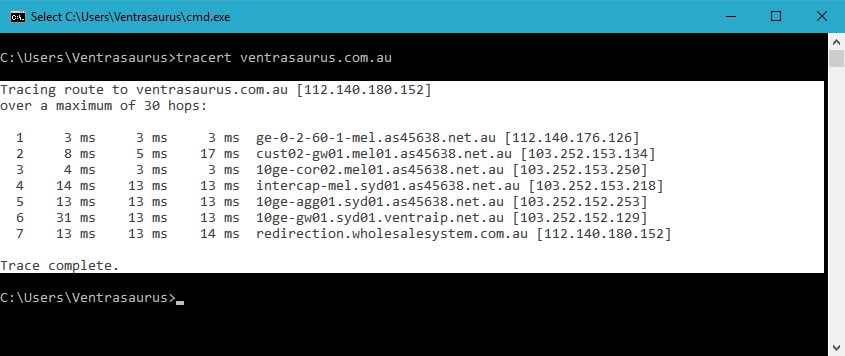
Mac OSX (most versions)
1. Press Command (⌘) + Spacebar to open the Spotlight Search. When it opens, type Terminal and press enter. 2. In the terminal window type traceroute yourdomain.com and press enter. Substitute yourdomain.com in for your website’s address.
 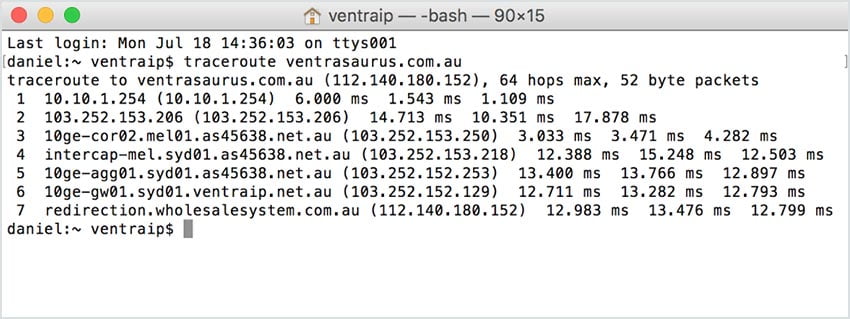 3. Select the text in the window by clicking and dragging from the top left of the results to the bottom right.
 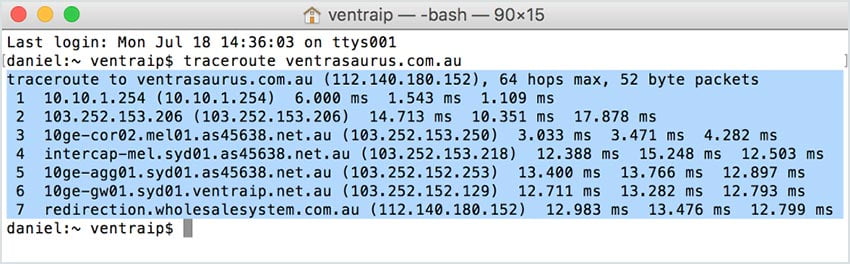 4. Press Command (⌘) + C to copy the text, or, click Edit, then Copy. Paste the results into your eTicket reply (or wherever else they need to go).
  Experiencing Technical Issues? Submit an eTicket to our Technical Support team.