

- Login to your cPanel Service.
- Open File Manager.
- Open Public_html.
- Click on Settings and enable Show Hidden Files (dotfiles).
- Open .htaccess.
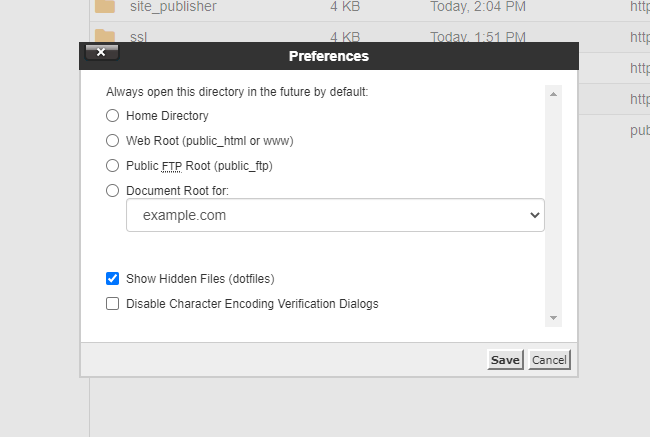 The .htaccess will now display in your site’s root folder (for the primary domain this is the Public_HTML folder). You can edit the file by right-clicking and selecting Edit.